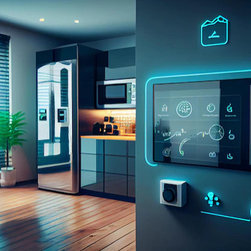


How to Design Smart Home Devices
Introduction
Smart home devices are electronic products that connect to the internet and can be controlled remotely to automate tasks and increase convenience in the home. Designing high-quality smart home products requires expertise in PCB manufacturing, electronic hardware, embedded software, cloud integration, user experience, security protocols, and more.
This comprehensive guide covers key considerations across all aspects of designing smart home devices. Follow these best practices to develop successful internet-connected products that delight consumers.
Developing the Product Requirements
Before diving into the design, clearly define the product requirements and specifications:
Determine the Target Functionality
* What task will the device automate? E.g. lighting, climate control, security, entertainment.
* Define the specific features needed to deliver that functionality.
* Prioritize must-have vs. nice-to-have features.
Define the Target User Experience
* How will users interact with the device? Physical controls, mobile app, voice assistant, etc.
* Make it easy and intuitive for users to set up, operate, and customize the device.
* Design for accessibility - how will elderly, disabled, or technologically inexperienced users operate it?
Set Technical Specifications
* Power source: Battery, USB, or AC powered?
* Processor speed, memory, storage required.
* Networking: WiFi, Bluetooth, Zigbee, etc.
* Supported voice services: Amazon Alexa, Google Assistant, Apple Siri etc.
* Operating temperature ranges, humidity tolerance, other environmental specs.
* Certification requirements: FCC, UL, etc.
Define the Enclosure Characteristics
* Dimensions and weight restrictions.
* Wall mounted or freestanding?
* Material choices: plastic, metal, etc.
* Aesthetics - color, finishes, styling.
* Ingress protection rating if outdoors.
Developing the Hardware Design
Creating the electronic hardware architecture comes next. This includes:
System Block Diagram
Map out the key hardware components and interfaces at a high level:
* Microcontroller - The brain of the device
* Sensors and peripherals - Detect inputs and conditions
* Wireless modules - WiFi, bluetooth, etc.
* External interfaces - For controls, displays, etc.
* Power supply unit
Circuit Schematics
Create detailed circuit schematics showing connectivity between all electronic components.
PCB Layout
Design the printed circuit board layouts. Ensure proper component placement and trace routing.
Component Selection
Choose reliable, reputable components that meet technical specs:
* Microcontroller - Balance performance, cost, power, size
* Sensors - Select appropriate detection range, accuracy, interfaces
* Wireless modules - Consider antenna design, security protocols
* Power components - Regulators, charger ICs, supply topology
* Passive components - Resistors, capacitors, crystals, etc.
Enclosure Design
Design enclosures with CAD software. Consider:
* Ergonomics - Comfortable grip, intuitive controls
* Ventilation - Heat dissipation for electronics
* Material thickness - Durability and weight goals
* Manufacturability - Draft angles, ribs, avoiding sinks
* Aesthetics - Visual styling and branding
* Installation method - Wall mount, wiring access etc.
Developing the Embedded Firmware
The embedded firmware brings the hardware capabilities to life:
Architect the Program Structure
* Modularize into logical files: main(), device drivers, networking stack etc.
* Design with reusability and readability in mind.
Implement Core Functionality
* Initialize system peripherals - GPIO, timers, communication buses.
* Implement device drivers - abstract hardware control.
* Process data from sensors - filtering, analysis, error handling.
Integrate Networking Protocols
Enable wireless connectivity with networking stacks like:
* WiFi - Connect to access points with WPA2 security.
* Bluetooth/BLE - Allow pairing, serial comms, services.
* Cloud APIs - Send data, receive control commands.
Build in Security
* Encrypt network comms and stored data.
* Secure device firmware against tampering.
* Require user authentication to control devices.
Refine with Robust Testing
* Validate on reference hardware before finalizing PCB design.
* Stress test reliability - EMC, temperature, longevity.
* Perform field tests for real-world conditions.
Creating a Compelling User Experience
The user experience includes both physical and digital touchpoints:
Design Intuitive Physical Interactions
* Use buttons, dials, touchscreens, LEDs etc. appropriately.
* Allow easy access to power, reset, wiring.
* Make mounting/installation foolproof.
* Print helpful diagrams, info on enclosures.
Develop Feature-Rich App Software
Build apps for iOS, Android, web etc. Focus on:
* Easy first-time setup and onboarding
* Intuitive and consistent navigation
* Simple, accessible controls
* Robust device management
* Useful data displays and alerts
* Over-the-air firmware updates
Incorporate Voice Control
Integrate natural language voice services like Alexa and Google Assistant to allow hands-free voice commands.
Ensuring Security & Privacy
As internet-connected devices, security is crucial:
Secure Wireless Communications
Implement standards like WPA2, TLS, and SSH to encrypt communications between devices, apps, and cloud servers.
Authenticate Users
Require username/password or multi-factor auth to control devices and access data.
Develop Responsible Privacy Policies
Be transparent about what user data is collected and how it is used. Provide privacy options.
Limit Data Sharing
Only share the minimum data necessary with vendors and partners. Anonymize data if possible.
Build in Security Best Practices
* Principle of least privilege - limit user and service access
* Input validation and sanitization
* Encrypt sensitive data in storage and transmission
* Digitally sign firmware updates
* Partner with security firms and bug bounty programs
Approaching Manufacturing and Certification
The final steps before launch:
Select a Contract Manufacturer
Find an electronics manufacturing services (EMS) provider to manufacture and assemble the product. Get quotes from multiple EMS firms.
Undergo Certification
Complete required certifications like:
* FCC/CE: Tests wireless emissions
* UL/ETL: Assesses electrical safety
* ISTA: Validates packaging robustness
Plan Distribution and Support
* Will the product be sold via retail channels, online channels, or direct?
* How will technical support and repairs be handled?
* Is the supply chain resilient against disruptions?
With preparation in all these areas, the product has the best chance of succeeding!
Conclusion
Designing smart home devices requires expertise across electrical engineering, embedded systems, cloud integration, security protocols, user experience design, and manufacturing processes. This guide provided a comprehensive overview of key considerations in each area when approaching a new internet-connected smart home product design to help ensure success. By diligently following these best practices in requirements gathering, hardware/firmware design, user experience, security, manufacturing, and certification, companies can develop delightful smart home gadgets that seamlessly automate tasks for their users.
Frequently Asked Questions
What skills are required to design smart home devices?
Key skills needed include:
* Embedded systems hardware design - Rayming PCB layout, circuit design
* Firmware development - C/C++, RTOS, driver development
* Cloud/app development - Mobile or web app programming
* User experience design - User flows, visual design, physical ergonomics
* Wireless expertise - antennas, WiFi/BLE protocols, security
* Electrical engineering fundamentals - power, sensors, protocols
What tools are used for smart home device development?
Common tools are:
* CAD - For enclosure design
* EDA - For PCB layout and circuit simulation
* IDE - For firmware coding and debugging
* Cloud services - For backend infrastructure
* Prototyping equipment - 3D printers, soldering, lab test equipment
What certification is needed for smart home devices?
Typical required certifications include:
* FCC - Verifies wireless device communications cause no interference
* UL/ETL - Validates electrical safety
* Bluetooth SIG - Certifies compliance with BLE standards
* WiFi Alliance - Certifies compliance with WiFi standards
* Additional regional radio certs - e.g. ISED in Canada, CE in Europe
How can security be ensured in smart home devices?
Recommended security practices:
* Encrypt wireless comms and data storage
* Sign and verify firmware updates
* Use trusted chips with hardware security features
* Require user authentication
* Limit user and service access rights
* Partner with cybersecurity firms for auditing and bug bounty programs
What trends are shaping smart home tech?
Some current smart home trends:
* Voice assistants - Hands free voice control with Alexa, Siri etc.
* Matter standard - Improving IoT device interoperability
* Privacy focus - Providing users more transparency and control over data
* AI and machine learning - Enabling more predictive features
* Power over Ethernet - Eliminating AC power cords
* Easy setup - Onboarding devices in 1 tap with NFC or QR codes
Smart home devices are electronic products that connect to the internet and can be controlled remotely to automate tasks and increase convenience in the home. Designing high-quality smart home products requires expertise in PCB manufacturing, electronic hardware, embedded software, cloud integration, user experience, security protocols, and more.
This comprehensive guide covers key considerations across all aspects of designing smart home devices. Follow these best practices to develop successful internet-connected products that delight consumers.
Developing the Product Requirements
Before diving into the design, clearly define the product requirements and specifications:
Determine the Target Functionality
* What task will the device automate? E.g. lighting, climate control, security, entertainment.
* Define the specific features needed to deliver that functionality.
* Prioritize must-have vs. nice-to-have features.
Define the Target User Experience
* How will users interact with the device? Physical controls, mobile app, voice assistant, etc.
* Make it easy and intuitive for users to set up, operate, and customize the device.
* Design for accessibility - how will elderly, disabled, or technologically inexperienced users operate it?
Set Technical Specifications
* Power source: Battery, USB, or AC powered?
* Processor speed, memory, storage required.
* Networking: WiFi, Bluetooth, Zigbee, etc.
* Supported voice services: Amazon Alexa, Google Assistant, Apple Siri etc.
* Operating temperature ranges, humidity tolerance, other environmental specs.
* Certification requirements: FCC, UL, etc.
Define the Enclosure Characteristics
* Dimensions and weight restrictions.
* Wall mounted or freestanding?
* Material choices: plastic, metal, etc.
* Aesthetics - color, finishes, styling.
* Ingress protection rating if outdoors.
Developing the Hardware Design
Creating the electronic hardware architecture comes next. This includes:
System Block Diagram
Map out the key hardware components and interfaces at a high level:
* Microcontroller - The brain of the device
* Sensors and peripherals - Detect inputs and conditions
* Wireless modules - WiFi, bluetooth, etc.
* External interfaces - For controls, displays, etc.
* Power supply unit
Circuit Schematics
Create detailed circuit schematics showing connectivity between all electronic components.
PCB Layout
Design the printed circuit board layouts. Ensure proper component placement and trace routing.
Component Selection
Choose reliable, reputable components that meet technical specs:
* Microcontroller - Balance performance, cost, power, size
* Sensors - Select appropriate detection range, accuracy, interfaces
* Wireless modules - Consider antenna design, security protocols
* Power components - Regulators, charger ICs, supply topology
* Passive components - Resistors, capacitors, crystals, etc.
Enclosure Design
Design enclosures with CAD software. Consider:
* Ergonomics - Comfortable grip, intuitive controls
* Ventilation - Heat dissipation for electronics
* Material thickness - Durability and weight goals
* Manufacturability - Draft angles, ribs, avoiding sinks
* Aesthetics - Visual styling and branding
* Installation method - Wall mount, wiring access etc.
Developing the Embedded Firmware
The embedded firmware brings the hardware capabilities to life:
Architect the Program Structure
* Modularize into logical files: main(), device drivers, networking stack etc.
* Design with reusability and readability in mind.
Implement Core Functionality
* Initialize system peripherals - GPIO, timers, communication buses.
* Implement device drivers - abstract hardware control.
* Process data from sensors - filtering, analysis, error handling.
Integrate Networking Protocols
Enable wireless connectivity with networking stacks like:
* WiFi - Connect to access points with WPA2 security.
* Bluetooth/BLE - Allow pairing, serial comms, services.
* Cloud APIs - Send data, receive control commands.
Build in Security
* Encrypt network comms and stored data.
* Secure device firmware against tampering.
* Require user authentication to control devices.
Refine with Robust Testing
* Validate on reference hardware before finalizing PCB design.
* Stress test reliability - EMC, temperature, longevity.
* Perform field tests for real-world conditions.
Creating a Compelling User Experience
The user experience includes both physical and digital touchpoints:
Design Intuitive Physical Interactions
* Use buttons, dials, touchscreens, LEDs etc. appropriately.
* Allow easy access to power, reset, wiring.
* Make mounting/installation foolproof.
* Print helpful diagrams, info on enclosures.
Develop Feature-Rich App Software
Build apps for iOS, Android, web etc. Focus on:
* Easy first-time setup and onboarding
* Intuitive and consistent navigation
* Simple, accessible controls
* Robust device management
* Useful data displays and alerts
* Over-the-air firmware updates
Incorporate Voice Control
Integrate natural language voice services like Alexa and Google Assistant to allow hands-free voice commands.
Ensuring Security & Privacy
As internet-connected devices, security is crucial:
Secure Wireless Communications
Implement standards like WPA2, TLS, and SSH to encrypt communications between devices, apps, and cloud servers.
Authenticate Users
Require username/password or multi-factor auth to control devices and access data.
Develop Responsible Privacy Policies
Be transparent about what user data is collected and how it is used. Provide privacy options.
Limit Data Sharing
Only share the minimum data necessary with vendors and partners. Anonymize data if possible.
Build in Security Best Practices
* Principle of least privilege - limit user and service access
* Input validation and sanitization
* Encrypt sensitive data in storage and transmission
* Digitally sign firmware updates
* Partner with security firms and bug bounty programs
Approaching Manufacturing and Certification
The final steps before launch:
Select a Contract Manufacturer
Find an electronics manufacturing services (EMS) provider to manufacture and assemble the product. Get quotes from multiple EMS firms.
Undergo Certification
Complete required certifications like:
* FCC/CE: Tests wireless emissions
* UL/ETL: Assesses electrical safety
* ISTA: Validates packaging robustness
Plan Distribution and Support
* Will the product be sold via retail channels, online channels, or direct?
* How will technical support and repairs be handled?
* Is the supply chain resilient against disruptions?
With preparation in all these areas, the product has the best chance of succeeding!
Conclusion
Designing smart home devices requires expertise across electrical engineering, embedded systems, cloud integration, security protocols, user experience design, and manufacturing processes. This guide provided a comprehensive overview of key considerations in each area when approaching a new internet-connected smart home product design to help ensure success. By diligently following these best practices in requirements gathering, hardware/firmware design, user experience, security, manufacturing, and certification, companies can develop delightful smart home gadgets that seamlessly automate tasks for their users.
Frequently Asked Questions
What skills are required to design smart home devices?
Key skills needed include:
* Embedded systems hardware design - Rayming PCB layout, circuit design
* Firmware development - C/C++, RTOS, driver development
* Cloud/app development - Mobile or web app programming
* User experience design - User flows, visual design, physical ergonomics
* Wireless expertise - antennas, WiFi/BLE protocols, security
* Electrical engineering fundamentals - power, sensors, protocols
What tools are used for smart home device development?
Common tools are:
* CAD - For enclosure design
* EDA - For PCB layout and circuit simulation
* IDE - For firmware coding and debugging
* Cloud services - For backend infrastructure
* Prototyping equipment - 3D printers, soldering, lab test equipment
What certification is needed for smart home devices?
Typical required certifications include:
* FCC - Verifies wireless device communications cause no interference
* UL/ETL - Validates electrical safety
* Bluetooth SIG - Certifies compliance with BLE standards
* WiFi Alliance - Certifies compliance with WiFi standards
* Additional regional radio certs - e.g. ISED in Canada, CE in Europe
How can security be ensured in smart home devices?
Recommended security practices:
* Encrypt wireless comms and data storage
* Sign and verify firmware updates
* Use trusted chips with hardware security features
* Require user authentication
* Limit user and service access rights
* Partner with cybersecurity firms for auditing and bug bounty programs
What trends are shaping smart home tech?
Some current smart home trends:
* Voice assistants - Hands free voice control with Alexa, Siri etc.
* Matter standard - Improving IoT device interoperability
* Privacy focus - Providing users more transparency and control over data
* AI and machine learning - Enabling more predictive features
* Power over Ethernet - Eliminating AC power cords
* Easy setup - Onboarding devices in 1 tap with NFC or QR codes